


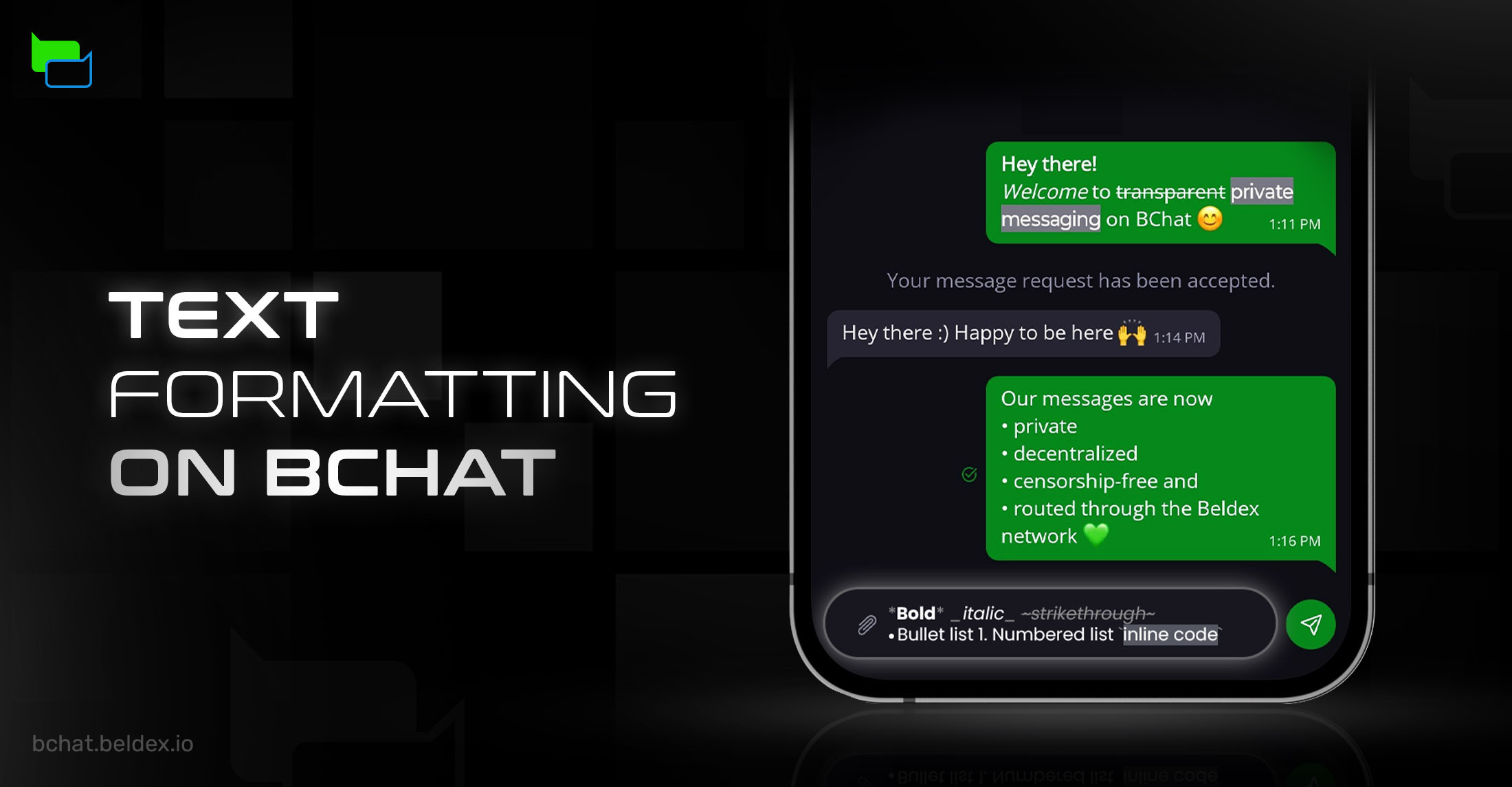
Communication tools are evolving rapidly today. It is no longer about just sending a text message. People want to express more with their texts, emojis, and stickers.
Messengers help you express your feelings, right from what do you think and what do you want them to understand, in a very nuanced way. And text formatting is a major part of it. Text formatting allows users to communicate in a clean, clear, and confident manner. With features like code-style formatting, businesses now use texts to even share and review snippets of code.
Just imagine texting your friend: “hey you see age verification laws are accelerating already, it's time to protect our privacy by switching to decentralized privacy first messenger”
With proper text formatting, this becomes, “Hey, you see, age verification laws are accelerating already. It's time to protect our privacy by switching to a decentralized, privacy-first messenger.”
There is a difference, right? That’s why BChat has now introduced the text formatting feature. You can now do more than just text.
What is Text Formatting in BChat?
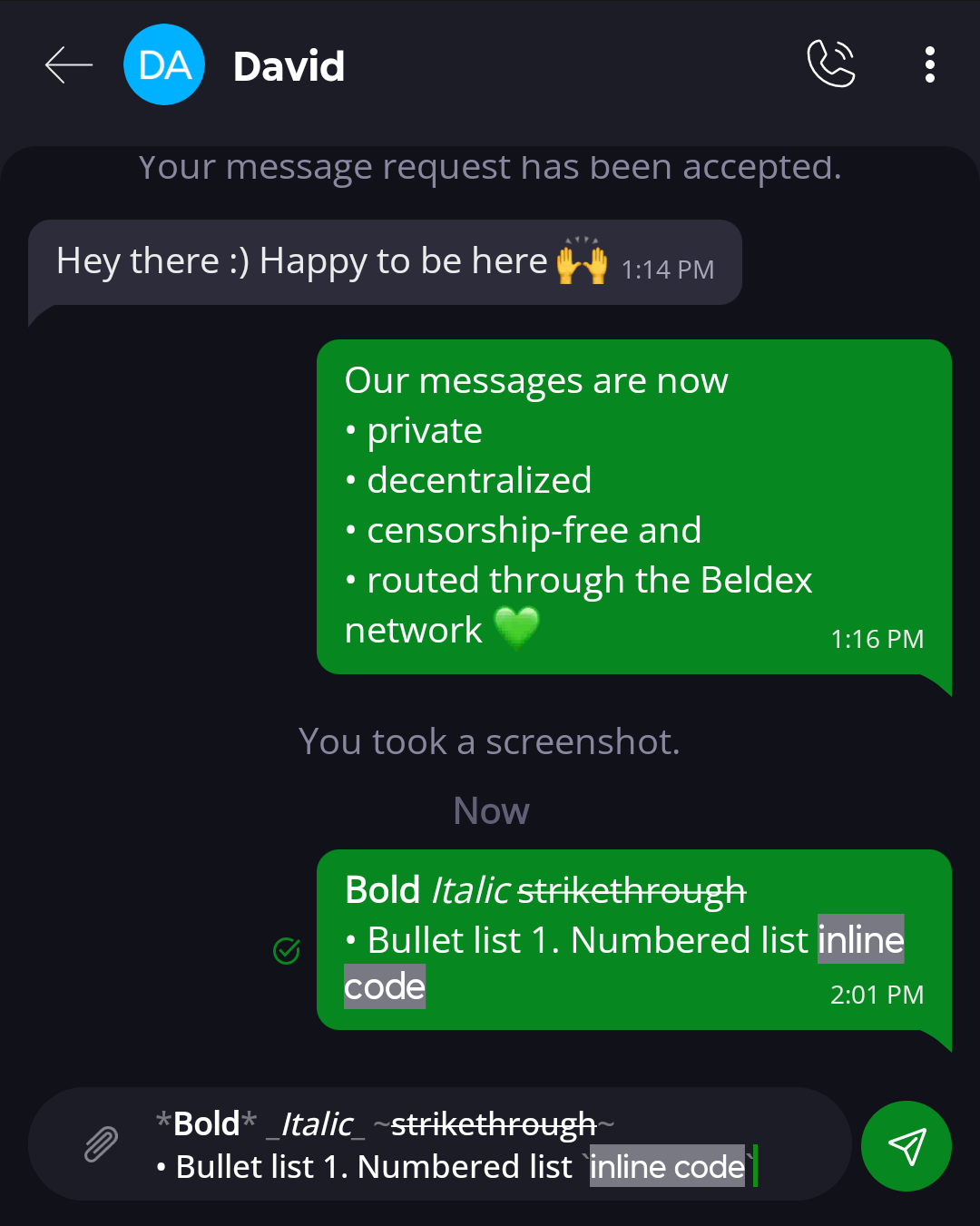
With the text formatting feature in @BChat_official, your messages won’t be plain; they’ll carry your intents better. In this update, the following text formatting features have been added:
- Bold
- Italic
- Strikethrough
- Bullet List
- Number List
- Inline Code
More formatting features are currently under development and will be added in a follow-up release.
How Does Text Formatting Work in BChat?
Text formatting in BChat is simple and can be done using the special symbols while typing the messages.
Bold
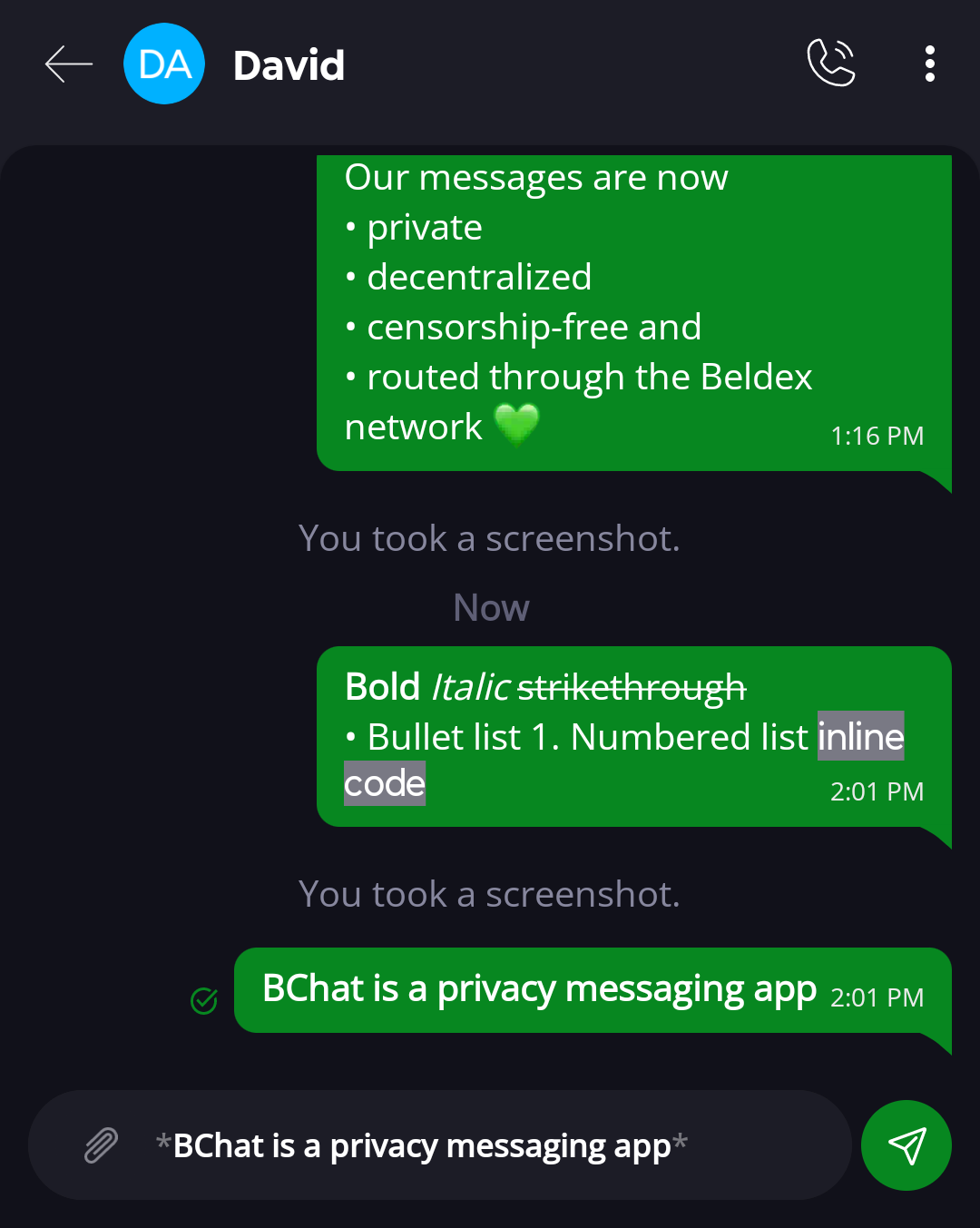
Use the asterisk symbol (*) before and after a text to make it bold. For example,
*BChat is a privacy messaging app*
Output:
BChat is a privacy messaging app
Italic
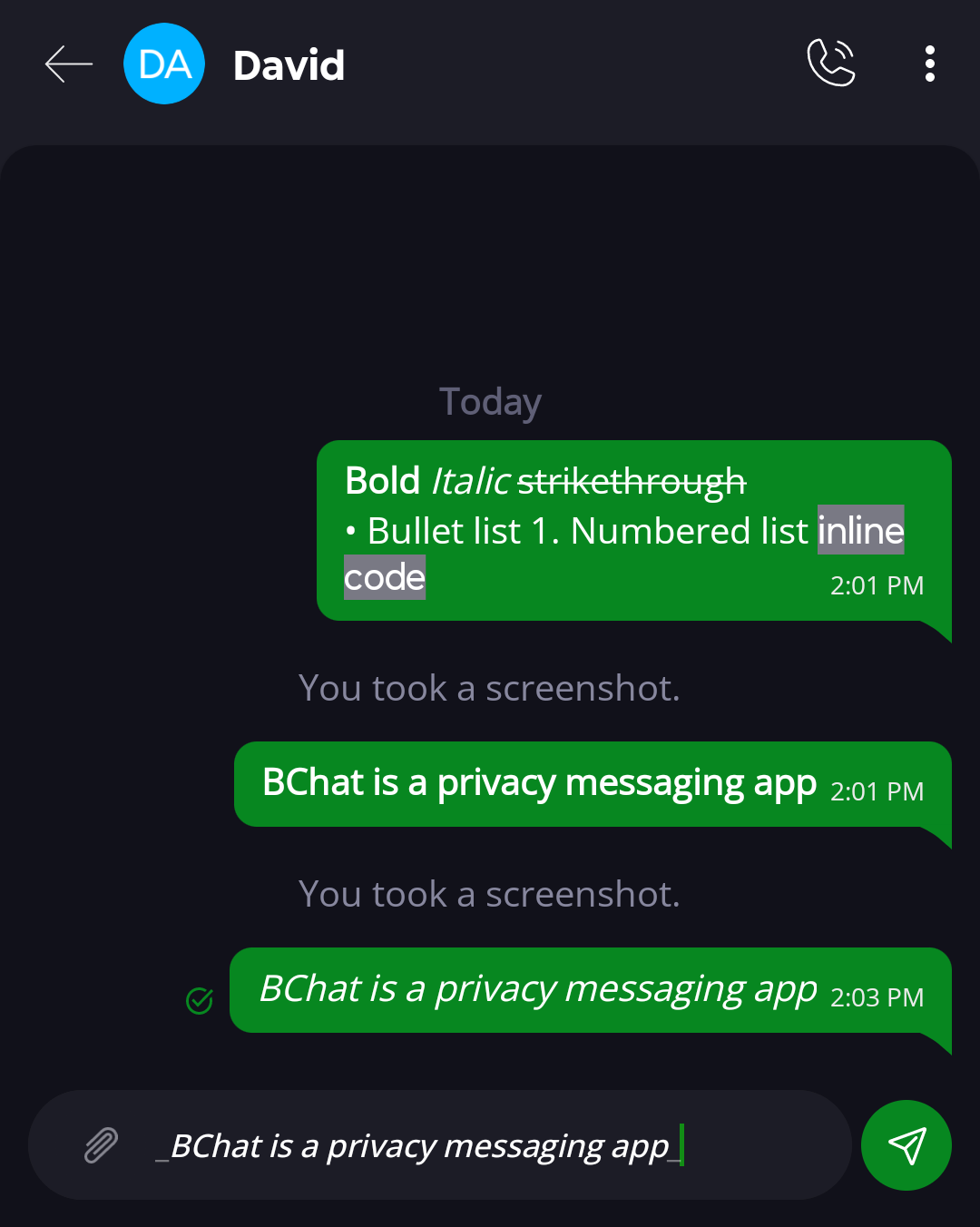
Use the underscore symbol (_) before and after a text to italicize it. For example,
_BChat is a privacy messaging app_
Output:
BChat is a privacy messaging app
Strikethrough
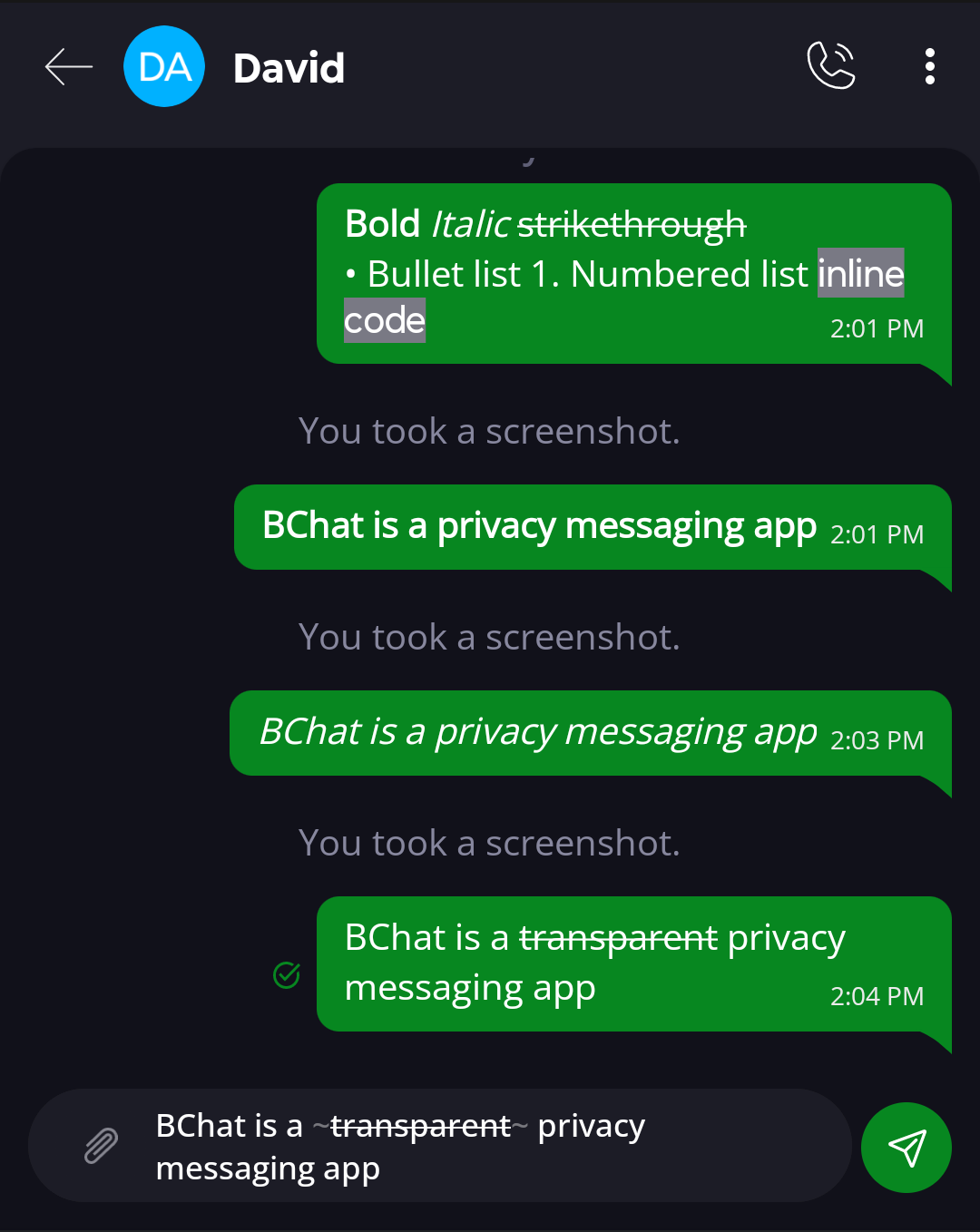
Use the tilde symbol (~) before and after a text to strikethrough it. For example,
BChat is a ~transparent~ privacy messaging app
Output:
BChat is a transparent privacy messaging app
Bullet List
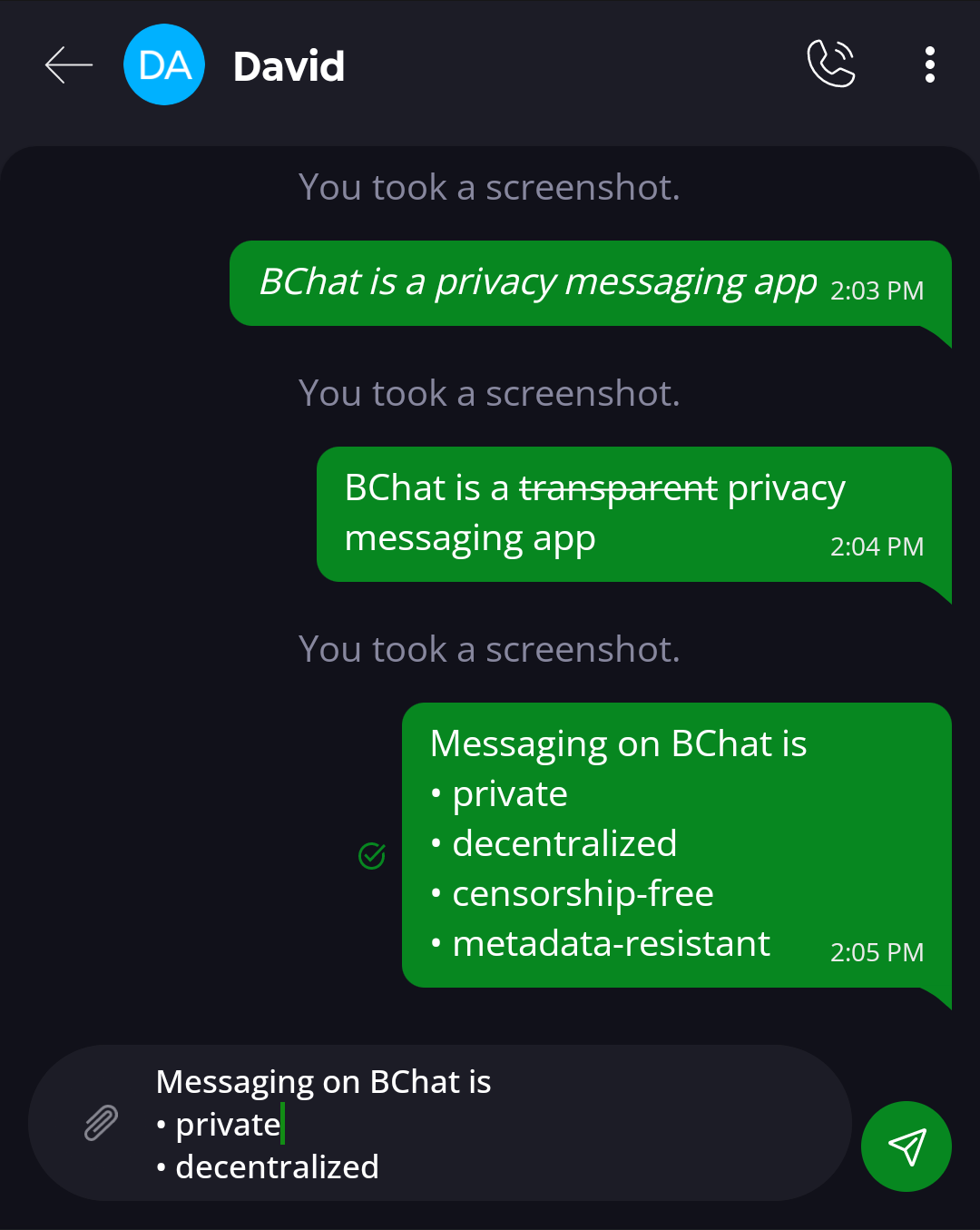
Use the hyphen (-) symbole before a text to create a bullet list. For example,
Messaging on BChat is
- - private
- - decentralized
- - censorship-free
- - metadata-resistant
Output:
Messaging on BChat is
- private
- decentralized
- censorship-free
- metadata-resistant
Numbered List
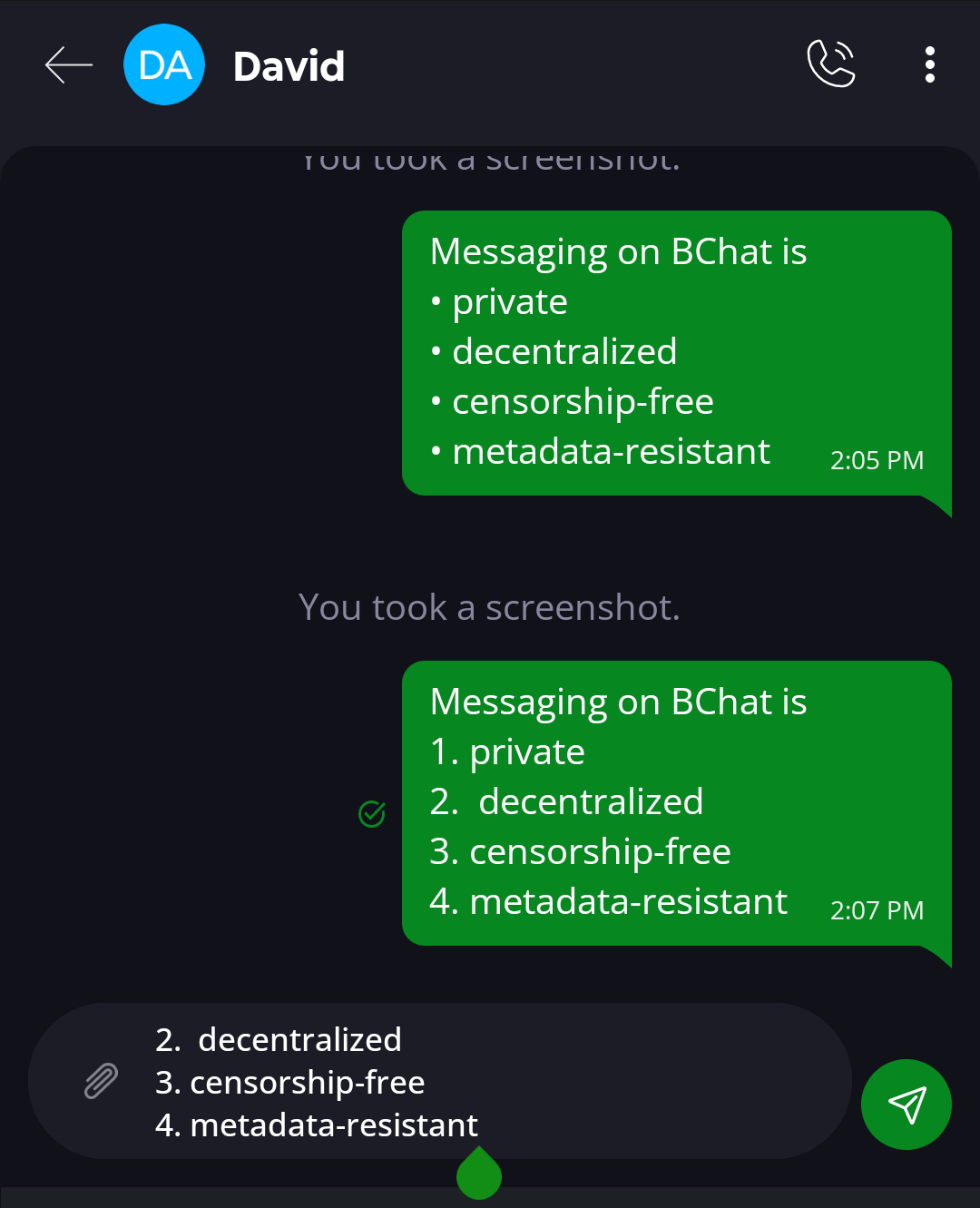
Enter a number (e.g., 1.) before a text to create a numbered list. For example,
Messaging on BChat is
- private
- decentralized
- censorship-free
- metadata-resistant
Output:
Messaging on BChat is
- private
- decentralized
- censorship-free
- metadata-resistant
Inline Code
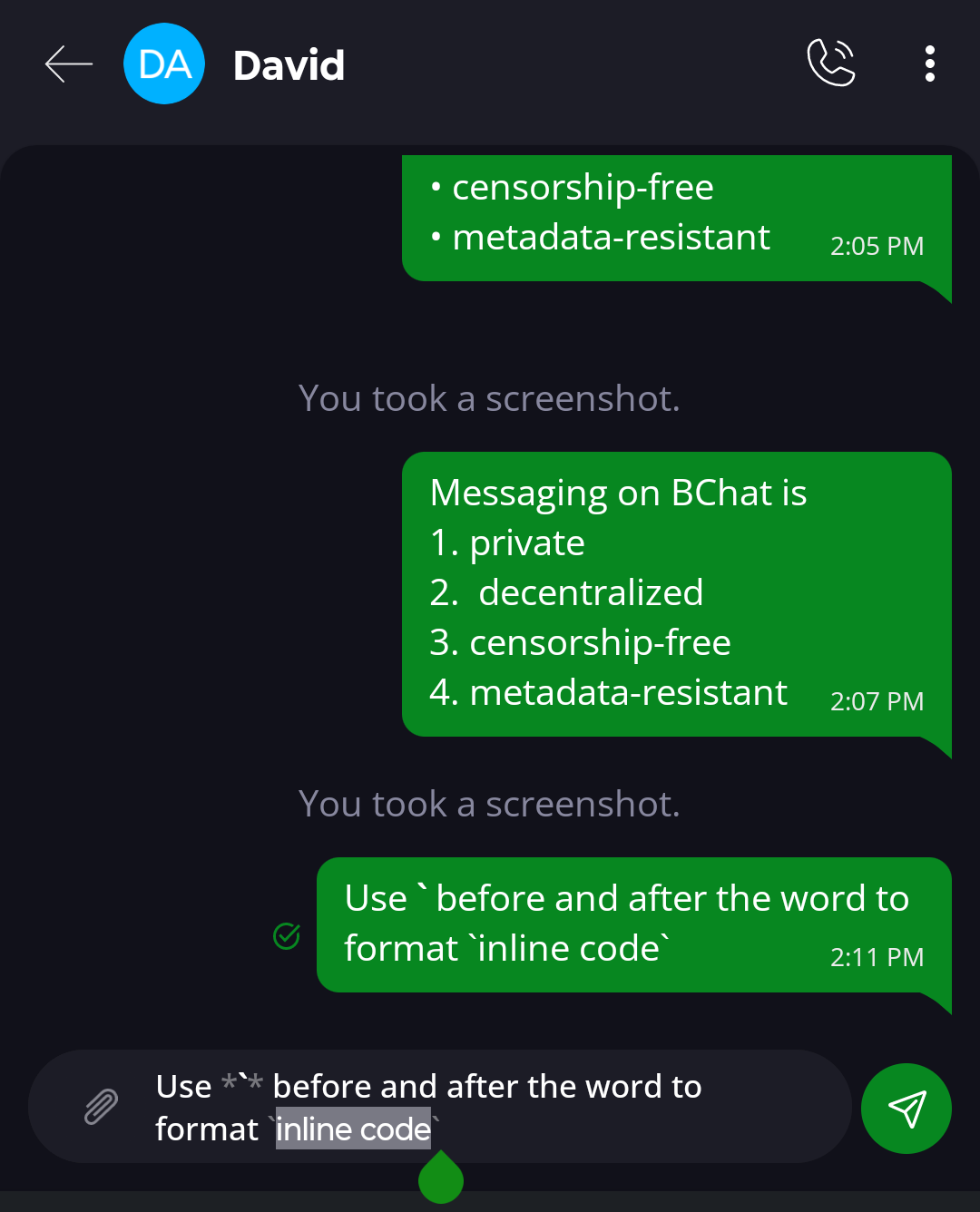
Use the backtick (`) symbol before and after a text to enable inline code. For example,
`inline code`
Output:
inline code
Why Does Text Formatting Matter in Communication?
Text formatting is used to make the messages more readable, clear and understandable without any misinterpretation. Here are some of the advantages of text formatting that enhances your everyday communication.
Better Communication Clarity
Text formatting helps to highlight key points in a message or highlight a snippet of code. Whether you are emphasizing an idea or structuring information, formatted text improves readability.
Enhanced User Experience
Modern users expect communication tools to offer more than just plain text. Formatting features make conversation more deep, meaningful, and engaging.
Useful for Communities and Groups
Formatting will be useful when you converse or share your thoughts in any social group or secret group. It helps to organize your information clearly.
Professional and Structured Messaging
Whether you're sharing updates, guides, or announcements, formatted text adds a level of professionalism to your messages.
Download BChat From Official Sources
We always recommend that you download BChat from official sources such as the BChat website (download links to the desktop versions at the footer), or from the
PlayStore: https://play.google.com/store/apps/details?id=io.beldex.bchat&hl=en_GB
AppStore: https://apps.apple.com/in/app/bchat-messenger/id1626066143
BChat Strives to Enhance User Experience
The text formatting feature is a popular feature on traditional messaging apps. Decentralized messaging is perceived to be clunky or difficult, but BChat changes that.
BChat shows that it is possible to balance privacy, decentralization, and a seamless user experience. Our purpose-built privacy messenger continuously evolves not only by prioritizing privacy but also by introducing user-friendly features without compromising its decentralized nature.
Understanding that modern users prefer both privacy and convenience, BChat has also previously rolled out one-tap privacy-preserving features like managing read receipts, typing indicators, and disabling link previews in the chat window.
These updates reflect our ongoing commitment to enhancing user experience while remaining true to our core values. It also positions BChat as a competitive, yet privacy-first messaging platform.
Join our community to know more about our recent developments.
 back to blog